
Veeam Backup & Replication is a data protection and disaster recovery platform primarily used in virtualized and hybrid environments. It is widely deployed in VMware and Hyper-V infrastructures, and also supports physical servers, NAS, and cloud workloads.
Given your VMware and Veeam background, this is likely already part of your environment, so I’ll focus on architecture, components, and operational use rather than basic marketing points.
1️⃣ Core Architecture
Veeam is modular. Main components:
1. Backup Server
- Central management component
- Runs Veeam console and services
- Controls jobs, scheduling, retention, restore operations
2. Backup Proxy
- Handles data processing (read, compress, dedupe, encrypt)
- Can be deployed close to production storage
- Supports multiple transport modes:
- Direct SAN
- HotAdd (VMware)
- Network (NBD)
3. Backup Repository
- Storage target for backups
- Can be:
- Windows/Linux server
- NAS
- Object storage (S3 compatible)
- Hardened Linux repository (immutable)
4. Mount Server
- Used during file-level restore and SureBackup
5. vPower NFS
- Enables Instant VM Recovery
2️⃣ Supported Workloads
Virtual
- VMware vSphere
- Microsoft Hyper-V
Physical
- Windows servers
- Linux servers
- Workstations
Applications (Application-aware processing)
- Microsoft SQL Server
- Microsoft Exchange Server
- Active Directory
- Oracle, PostgreSQL, etc.
3️⃣ Backup Types
🔹 Full Backup
Complete copy of VM.
🔹 Incremental Backup
Only changes since last restore point.
🔹 Synthetic Full
Creates full from previous backups (no production impact).
🔹 Active Full
Reads all data again from source.
4️⃣ Key Features
✅ Instant VM Recovery
Run VM directly from backup storage (very useful for critical DCs).
✅ SureBackup
- Boot VM in isolated lab
- Verify OS + services
- Test AD, SQL, web services automatically
✅ Application-Aware Processing
Consistent SQL/AD backups (VSS-based).
✅ Immutable Backups
- Hardened Linux repo
- Protects against ransomware
- Cannot delete backups before retention expires
✅ Backup Copy Job
For 3-2-1 strategy:
- 3 copies
- 2 different media
- 1 offsite
5️⃣ Restore Options
- Entire VM restore
- Instant VM Recovery
- File-level restore
- Application item-level restore (SQL table, AD object, mailbox)
- Bare-metal restore
- Object storage restore
6️⃣ Typical Enterprise Design (Example)
For a multi-branch company like yours:
Primary Site
- 1 Veeam Backup Server (VM)
- 1–2 Proxies
- Hardened Linux Repo (local storage)
- Backup jobs daily incremental
- Weekly synthetic full
Secondary Site / DR
- Backup Copy Job replication
- Immutable object storage (S3 compatible)
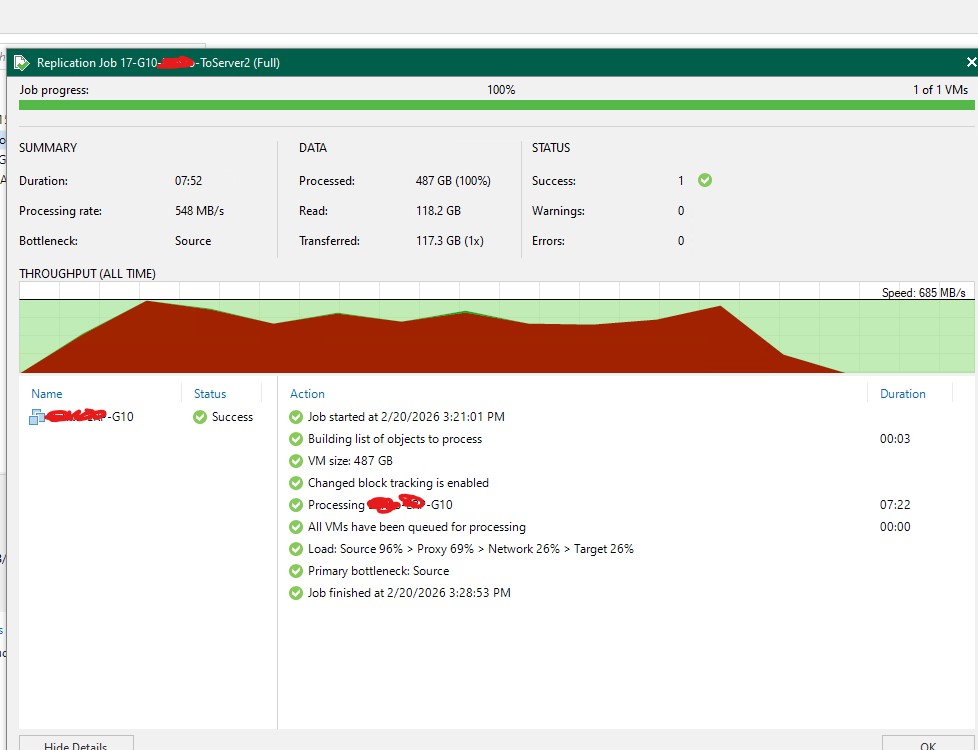
- Optional: VM Replication for critical systems (DC, ERP, SQL)
7️⃣ Replication vs Backup
| Backup | Replication |
|---|---|
| Stored compressed | Live VM copy |
| Slower recovery | Faster failover |
| Long retention | Short retention |
For ERP or domain controllers → replication is recommended.
8️⃣ Common Issues You May See
- Snapshot consolidation failure (VMware)
- CBT reset problems
- Proxy bottlenecks
- Repository I/O saturation
- SQL log growth (if transaction log backup misconfigured)
9️⃣ Security Best Practices
- Use dedicated service account (not Domain Admin)
- Enable immutability
- Disable backup server internet access
- MFA for console
- Separate repository credentials
- Air-gapped copy (optional)