
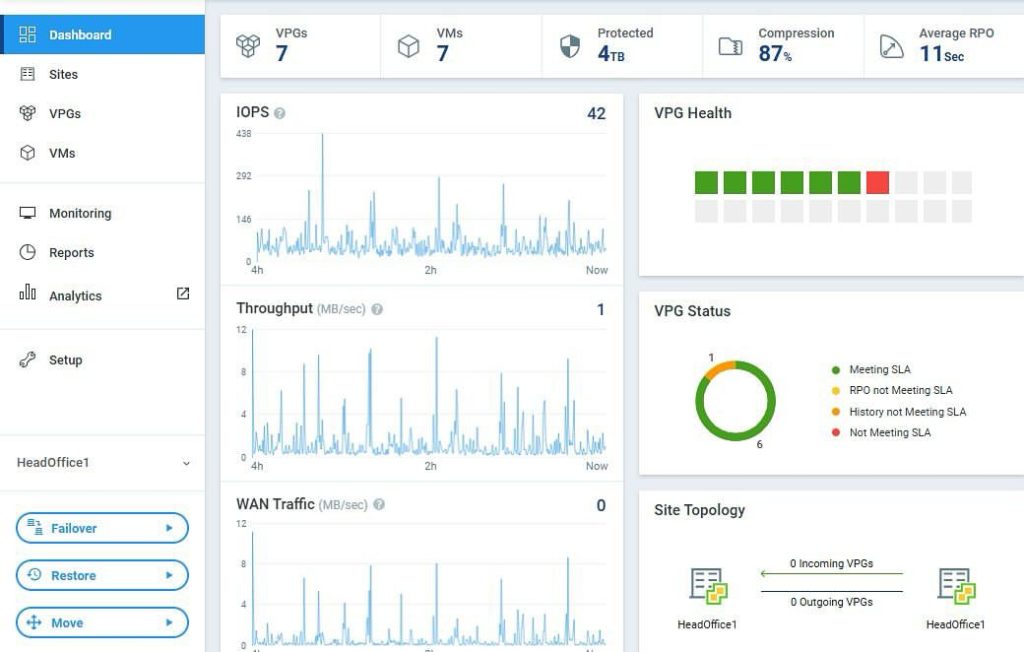
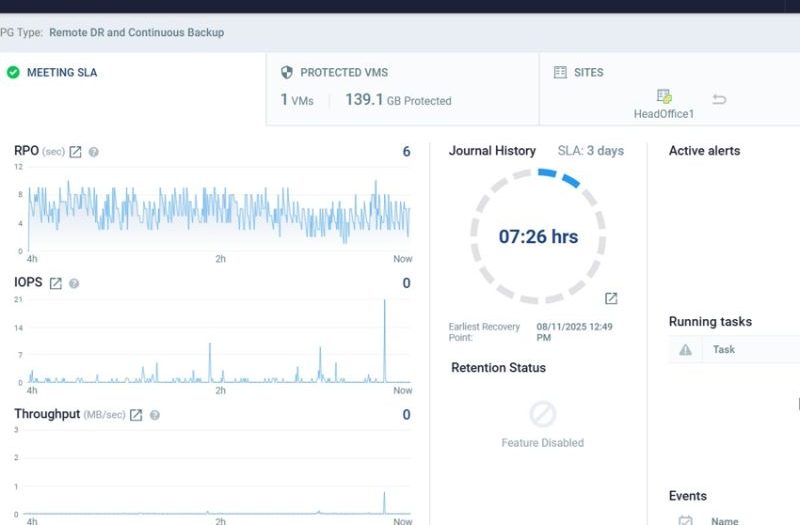
Zerto is a continuous data protection (CDP) and disaster recovery platform focused on near-zero data loss and fast recovery for virtualized and cloud environments.
Compared to traditional backup tools like Veeam Backup & Replication, Zerto is built primarily for real-time replication and business continuity, not long-term backup retention.
1️⃣ What Makes Zerto Different?
🔹 Continuous Replication (CDP)
- Replicates changes in near real-time
- Journal-based recovery
- Recovery Point Objective (RPO) in seconds
Instead of backing up every few hours, Zerto captures every write and stores it in a journal history window (e.g., 1–30 days depending on design).
2️⃣ Architecture Overview
Core Components
1. Zerto Virtual Manager (ZVM)
- Central management server
- Installed on Windows (usually inside vCenter environment)
2. Virtual Replication Appliance (VRA)
- Deployed per ESXi host
- Handles replication traffic
- Intercepts VM writes
3. Journal
- Stores change history
- Enables point-in-time recovery (seconds granularity)
3️⃣ Supported Platforms
- VMware vSphere
- Microsoft Hyper-V
- AWS / Azure (cloud DR)
- On-prem → Cloud replication
- Cloud → Cloud replication
4️⃣ Key Concepts
🔹 VPG (Virtual Protection Group)
Group of VMs replicated together.
Example:
- SQL + App + Web server
- Protected as one unit
- Maintains boot order
🔹 Journal-Based Recovery
You can restore:
- To a specific second before ransomware attack
- To exact timestamp of corruption
- Roll back to clean state
This is the main advantage over snapshot-based replication.
5️⃣ RPO & RTO
| Metric | Zerto |
|---|---|
| RPO | Seconds |
| RTO | Minutes |
Compared to traditional backup (hours RPO), Zerto is designed for mission-critical workloads.
6️⃣ Use Cases
✅ Data Center to DR Site
Primary → Secondary site replication
✅ Ransomware Recovery
Recover to seconds before encryption
✅ Data Center Migration
Migrate VMs live with minimal downtime
✅ Cloud Disaster Recovery
On-prem → Azure/AWS
7️⃣ Failover Process
- Select VPG
- Choose recovery checkpoint
- Start failover
- VMs boot in DR site in defined order
- Re-IP if needed
Supports:
- Test Failover (no impact to production)
- Live Failover
- Failback
8️⃣ Zerto vs Traditional Backup
| Feature | Zerto | Backup Software |
|---|---|---|
| Continuous replication | Yes | No |
| Long-term retention | Limited | Yes |
| Immutable storage | Limited | Yes |
| Archive 1–7 years | Not ideal | Ideal |
| Instant migration | Excellent | Limited |
9️⃣ Limitations
- Storage heavy (journal growth)
- Higher cost than backup
- Requires stable network between sites
- Not ideal as sole long-term backup
Most enterprises use:
Zerto + Backup (e.g., Veeam)
Zerto → Short-term DR
Backup → Long-term compliance
🔟 Typical Enterprise Design (Example for Your Profile)
For a multi-branch VMware environment:
Primary Site:
- ZVM installed
- VRA per ESXi host
- Replicate ERP, SQL, AD
DR Site:
- Separate storage pool
- 7–14 day journal
- 10–30 Mbps per protected workload (depends on change rate)
Critical systems (ERP, DC, SQL) → Zerto
File servers / non-critical → Backup only