I built Kharjyar to keep track of daily spending without spreadsheets or sign-ups. It is a Persian-first expense and budget tracker with a Jalali calendar that works completely offline.
Screenshots
Features
- Record expenses and income in seconds with 20+ ready-made categories, or create your own
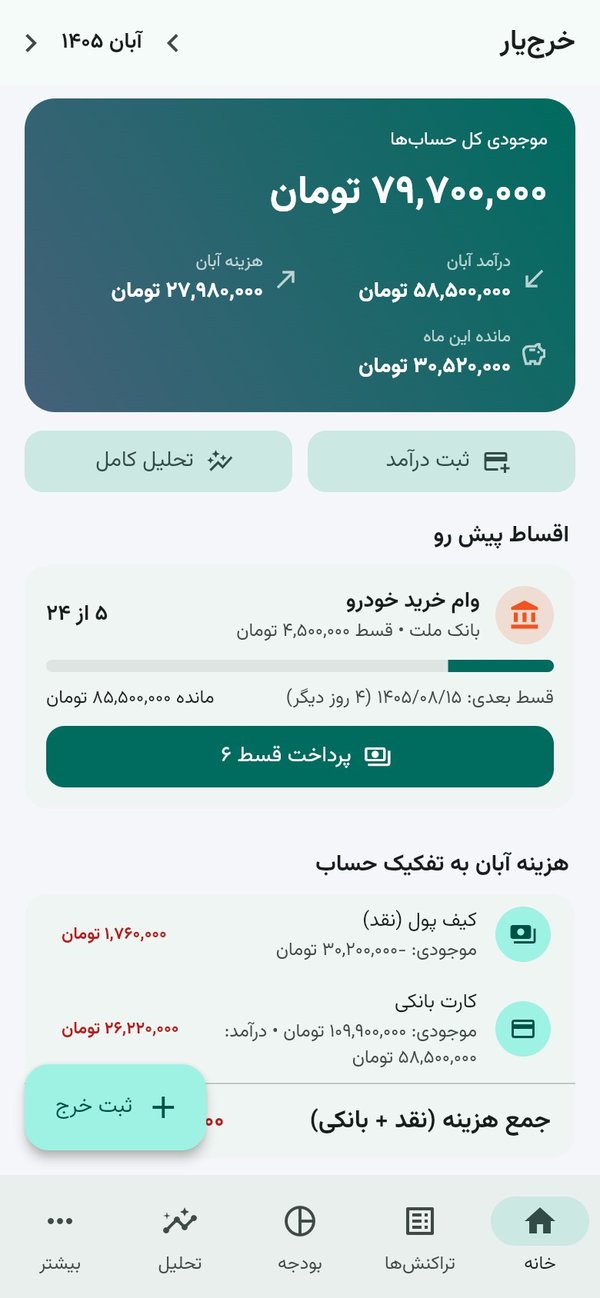
- Cash and bank accounts with separate balances, per-account spending and a combined total
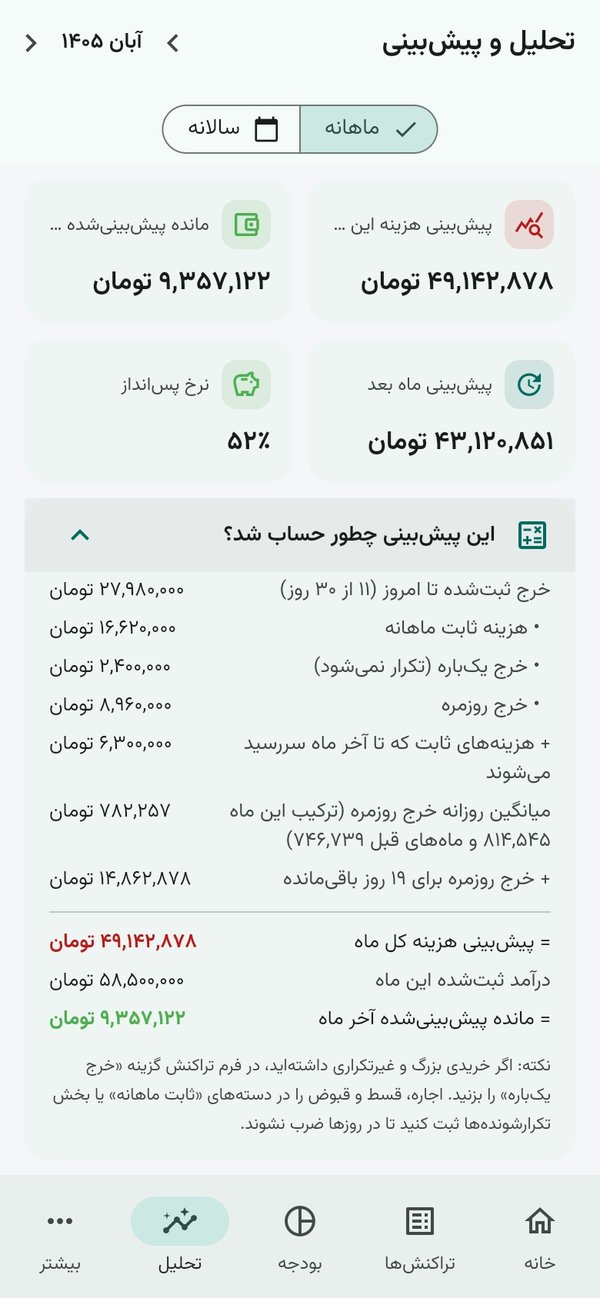
- End-of-month spending forecast and projected balance — fixed costs and one-off purchases are kept separate so the forecast stays realistic
- A step-by-step explanation of how every forecast is calculated
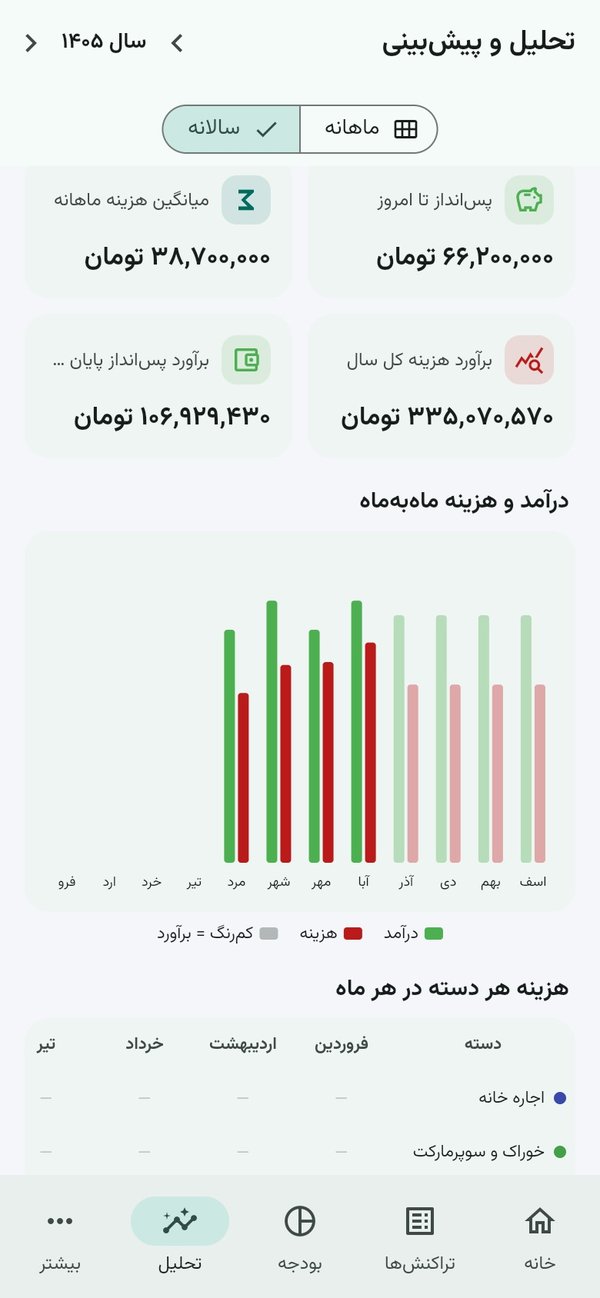
- Yearly view: spending per category for every month, with estimates for the months ahead
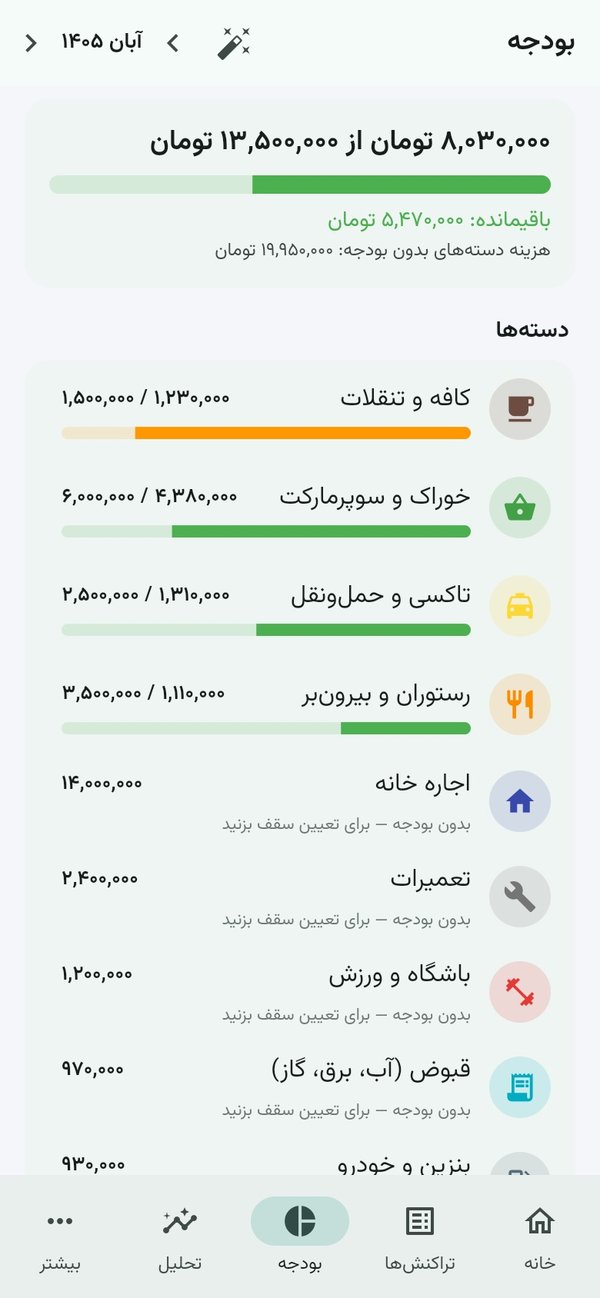
- Monthly budgets per category with alerts and a safe daily spending amount, plus a summary of total caps, spent and remaining
- Ready-made categories including building service charge, classes & courses and barber/salon
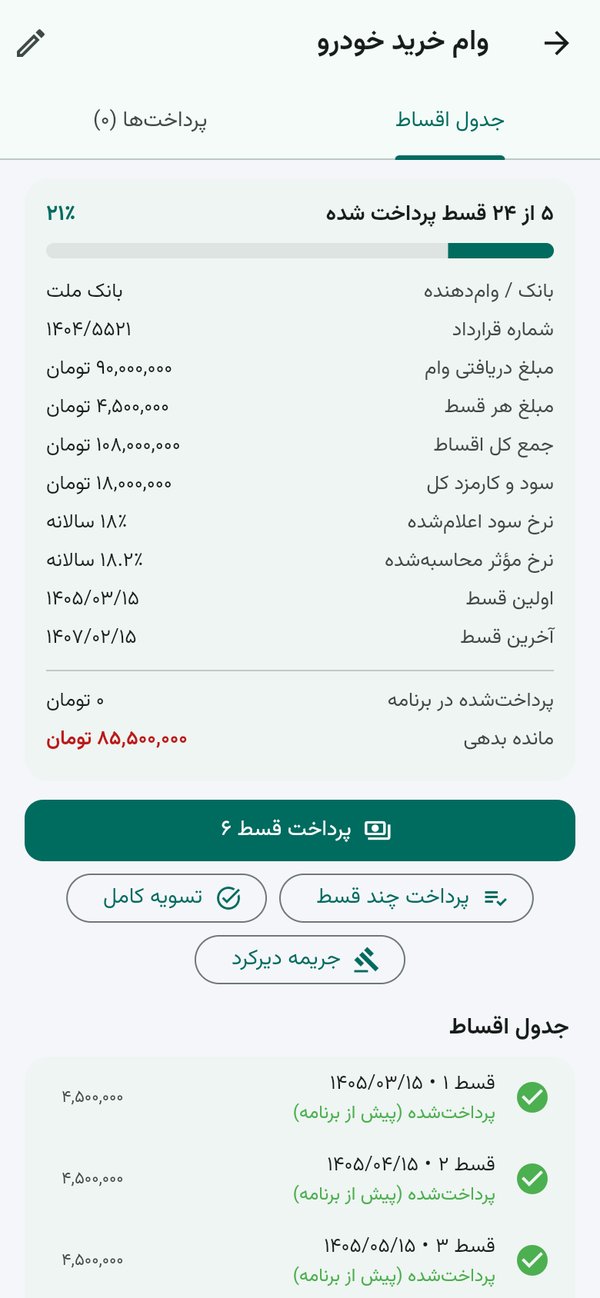
- Loans and installments: full installment schedule, bank, interest and effective rate, pay several installments or settle early, late fees, editable payment history, and phone reminders before each due date
- Recurring payments and income (rent, gym, salary) recorded automatically each month
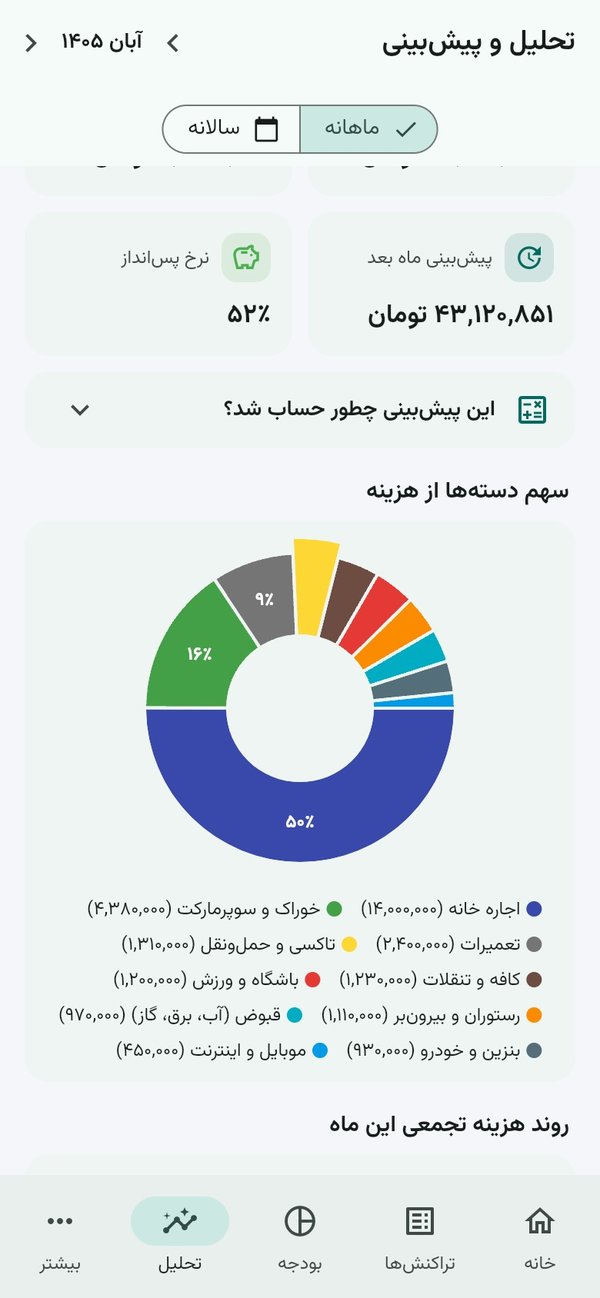
- Charts and spending patterns: savings rate, most expensive weekday, month-over-month changes
- Excel export, one-file backup and restore, light and dark themes
Privacy
All data is stored only on your phone. The app has no account, no server, no ads and no analytics.
Installation
Android 7 or newer: download the APK and open it. If Play Protect shows an “unknown app” notice, tap More details → Install anyway. On iPhone, open the web app link in Safari, tap Share and choose Add to Home Screen.
About the app
Written in Flutter. Every release is signed with my own release key, so updates install directly over the previous version.
خرجیار را برای ثبت خرجهای روزانه نوشتهام؛ بدون نیاز به اکسل و ثبتنام. برنامه فارسی است، تاریخ شمسی دارد و کاملاً آفلاین کار میکند.
تصاویر برنامه
امکانات
- ثبت خرج و درآمد در چند ثانیه با بیش از ۲۰ دسته آماده یا دسته دلخواه
- حساب نقد و بانکی با موجودی جدا، هزینه به تفکیک هر حساب و جمع کل
- پیشبینی هزینه و مانده آخر ماه؛ هزینههای ثابت و خریدهای یکباره جدا حساب میشوند تا عدد واقعی بماند
- توضیح قدمبهقدم اینکه هر پیشبینی چطور حساب شده
- نمای سالانه: هزینه هر دسته در هر ماه و برآورد ماههای آینده
- بودجه ماهانه برای هر دسته با هشدار و مبلغ مجاز خرج روزانه، همراه با جمع سقفها، هزینه ثبتشده و باقیمانده
- دستههای آماده از جمله شارژ ماهیانه ساختمان، کلاس و دوره آموزشی و آرایشگاه
- وام و اقساط: جدول کامل اقساط، بانک و نرخ سود و سود کل، پرداخت چند قسط یا تسویه زودهنگام، جریمه دیرکرد، ویرایش پرداختها و اعلان یادآور روی گوشی قبل از هر سررسید
- پرداختها و درآمدهای ثابت (اجاره، باشگاه، حقوق) که هر ماه خودکار ثبت میشوند
- نمودار و الگوی مالی: نرخ پسانداز، پرخرجترین روز هفته، مقایسه با ماه قبل
- خروجی اکسل، پشتیبانگیری و بازیابی با یک فایل، حالت روشن و تاریک
حریم خصوصی
همه اطلاعات فقط روی گوشی ذخیره میشود. برنامه حساب کاربری، سرور، تبلیغ و ابزار آمارگیری ندارد.
نصب
اندروید ۷ به بالا: فایل را دانلود کنید و باز کنید. اگر Play Protect پیام «برنامه ناشناس» داد، «جزئیات بیشتر ← در هر صورت نصب شود» را بزنید. در آیفون، لینک نسخه وب را در Safari باز کنید، دکمه اشتراکگذاری را بزنید و «Add to Home Screen» را انتخاب کنید.
درباره برنامه
برنامه با Flutter نوشته شده و هر نسخه با کلید امضای خودم منتشر میشود؛ بهروزرسانیها مستقیم روی نسخه قبلی نصب میشوند.